
Download FavoritesVIew – Bookmark Manager, Browser Bookmarks, Favorites Organizer, Web Favorites, Browser Integration
Overview
FavoritesVIew is a productivity-focused tool designed to simplify the management of web bookmarks across multiple browsers. The application enables users to centralize their favorite websites in a single, accessible interface without the need to open a web browser. This functionality is particularly beneficial for individuals who use several browsers—such as Internet Explorer, Firefox, and Netscape—on a daily basis and wish to avoid the inefficiencies of switching between them to locate saved links.
By consolidating bookmarks from various sources into one unified view, FavoritesVIew reduces digital clutter and enhances workflow efficiency. It addresses the common challenge of fragmented favorites, where users may save the same site in different browsers and later struggle to recall where it was stored. The app’s core purpose is to serve as a reliable organizational hub, ensuring that important links remain accessible regardless of the browser used.
Target users include professionals, students, and casual internet users who maintain extensive bookmark collections. The app is especially useful for those managing research materials, project references, or frequently visited sites. Although the developer did not provide additional technical details, the application’s design suggests a focus on simplicity and direct utility. In the broader app ecosystem, FavoritesVIew fills a niche for lightweight, browser-integrated tools that prioritize user control and efficiency.
Key Features & Functionality
- Multi-Browser Compatibility: FavoritesVIew supports integration with major web browsers including Internet Explorer, Firefox, and Netscape. This ensures that users can access bookmarks regardless of their preferred browser, eliminating the need to switch platforms to retrieve saved links.
- Browser-Free Access: One of the app’s standout capabilities is the ability to open bookmarks without launching a web browser. Users can select a favorite directly from the FavoritesVIew interface, and the corresponding browser will launch automatically, streamlining access and saving time.
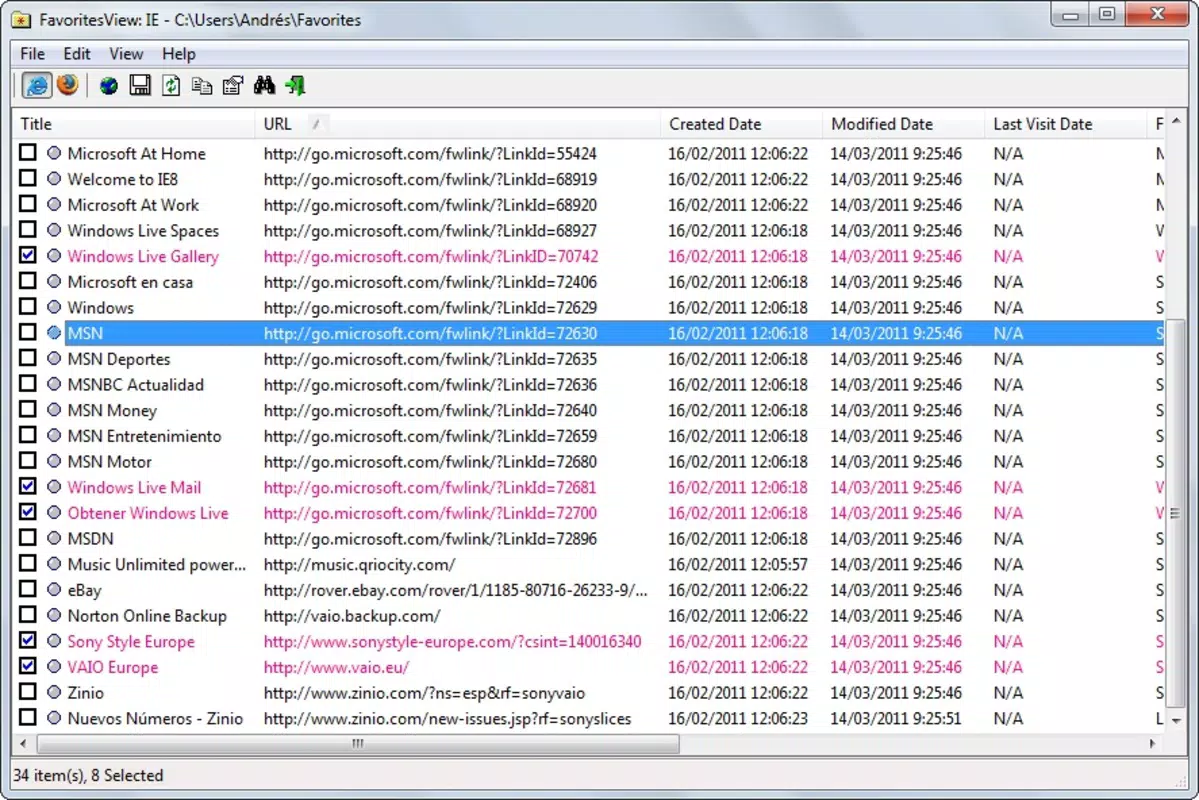
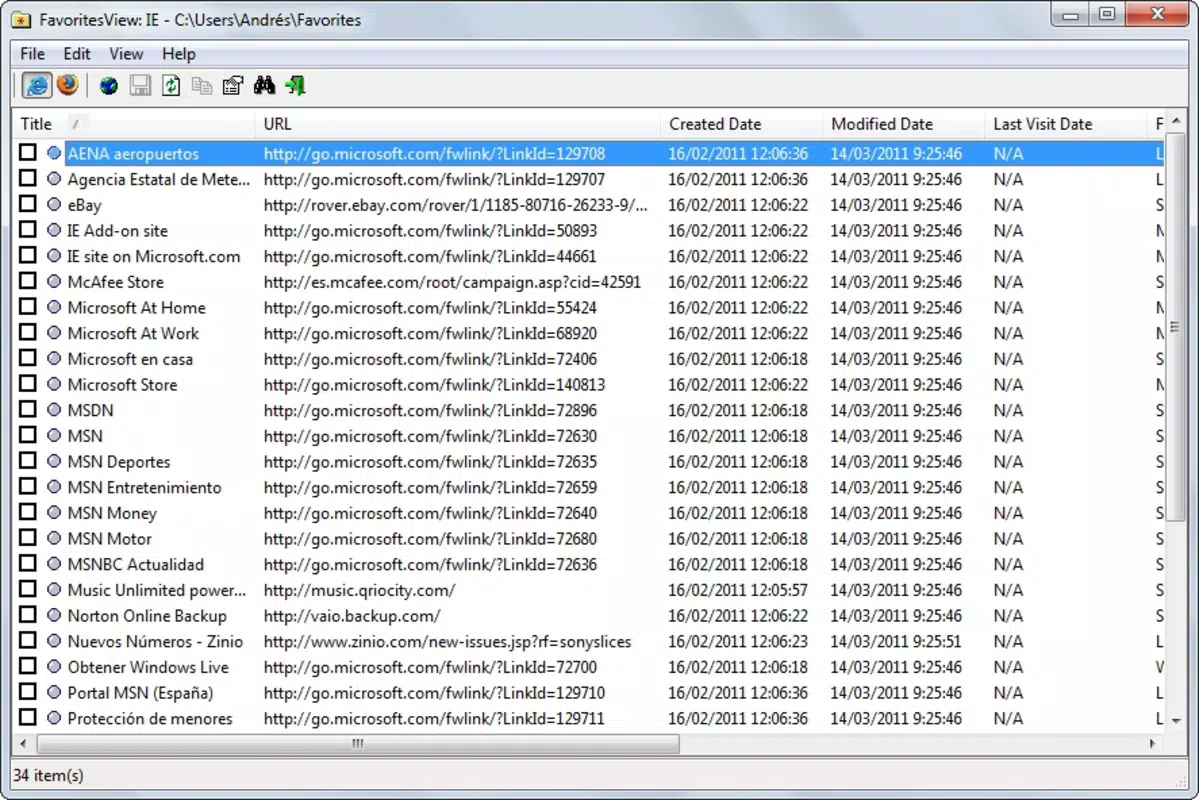
- Centralized Bookmark Repository: All bookmarks from different browsers are aggregated into a single, searchable window. This centralization removes the confusion caused by scattered favorites and allows for faster navigation to frequently visited websites.
- Intuitive User Interface: The application features a clean, straightforward layout designed for ease of use. Even users with limited technical experience can quickly locate and manage their bookmarks without needing to learn complex navigation systems.
- Organizational Enhancement: FavoritesVIew helps users maintain order across their digital bookmarks. By providing a unified view, it reduces the risk of losing important links over time and supports consistent access to vital online resources.
For example, a researcher might use FavoritesVIew to collect references from Firefox and Internet Explorer into one place, allowing immediate access without reopening either browser. Similarly, a student managing multiple course websites can avoid switching between browsers to find a specific link, improving study efficiency.
Interface, UX & Performance
FavoritesVIew presents a minimalistic user interface with a focus on clarity and direct access. The layout is structured to prioritize readability and navigation, featuring a list-based display of bookmarks that can be browsed or searched. Visual cues such as icons and color coding may assist in identifying different categories or sources, though specific design details were not disclosed.
Navigation is straightforward, with a linear flow from selection to execution—click a bookmark, and the associated browser opens automatically. This reduces cognitive load and supports a seamless user experience. The app is designed for quick interaction, minimizing delays between user input and action.
Although the developer did not list formal performance metrics, the application’s lightweight size of 3.1 MB suggests optimized resource usage. It is expected to run smoothly on standard Windows systems, including older or low-end hardware. Responsiveness appears to be a priority, as the app avoids unnecessary loading times and maintains stability during routine operations. However, compatibility with modern Windows versions was not specified.
Platform Compatibility & Technical Requirements
FavoritesVIew is designed for the Windows platform and requires no additional software to function. The application’s file size is 3.1 MB, indicating a lightweight footprint suitable for systems with limited storage. It operates on Windows, though specific OS versions were not listed by the developer.
Since no minimum OS requirements were provided, users should ensure compatibility with their current system. The app is free to download and install, making it accessible to a wide audience. The version available is 1.0, which may indicate a stable but potentially outdated release, especially given its release date in 2013.
Compatibility information was not fully disclosed. Users should verify that the app runs on their system before installation. The absence of updates or newer versions suggests the application may not be actively maintained.
Pros and Cons
Pros
- Centralizes bookmarks from multiple browsers into one interface
- Allows access to favorites without opening a web browser
- Supports major browsers including Internet Explorer, Firefox, and Netscape
- Lightweight design with a small file size of 3.1 MB
- Simple, intuitive interface suitable for non-technical users
Cons
- Release date was 2013; may lack support for modern Windows systems
- Developer did not specify minimum OS requirements
- Version 1.0 suggests limited updates or ongoing development
- No information on automatic sync or backup features
- Compatibility with current browsers and security standards is unclear
FAQ
Is FavoritesVIew compatible with modern Windows versions?
The developer did not specify minimum OS requirements. Users should test compatibility on their system before installation.
Can I use FavoritesVIew without having a web browser installed?
No, the app requires at least one supported web browser (Internet Explorer, Firefox, or Netscape) to be installed to function properly.
Is FavoritesVIew free to download and use?
Yes, the application is available at no cost. There are no in-app purchases or subscription fees.
Does FavoritesVIew sync bookmarks across devices?
The developer did not provide information on cross-device synchronization or cloud integration.
Is FavoritesVIew secure to install?
As a free application from a known developer, it is generally considered safe. However, users should download from trusted sources and scan files with antivirus software.
Final Thoughts + CTA
FavoritesVIew remains a practical tool for users seeking a centralized, browser-agnostic way to manage their bookmarks. Its ability to aggregate favorites from multiple browsers into a single interface offers a clear advantage in terms of convenience and organization. While the app’s release date in 2013 raises questions about its compatibility with modern systems, its lightweight design and straightforward functionality still make it a viable option for those on older Windows environments.
It is particularly suited for individuals who value efficiency and dislike the hassle of switching between browsers. For users managing a large number of bookmarks across different platforms, FavoritesVIew provides a reliable, no-frills solution. Though it lacks modern features like cloud sync or automatic updates, its core purpose is fulfilled with minimal overhead.
For anyone looking to streamline their browsing workflow and reclaim control over their digital bookmarks, FavoritesVIew delivers tangible value. Download FavoritesVIew now.


